

Vehicle utilisation
Better planning with the Start.info app: our bus and tram capacity utilisation display makes it possible.
The vehicle utilisation function uses catchy symbols in the departure monitor to show whether low, medium or high vehicle utilisation is expected for selected journeys. With this new feature, passengers can select less popular connections as required and possible - and thus plan journeys better.
Download our Start.info app quickly and easily now:
Download Start.info app


How the capacity utilisation display works
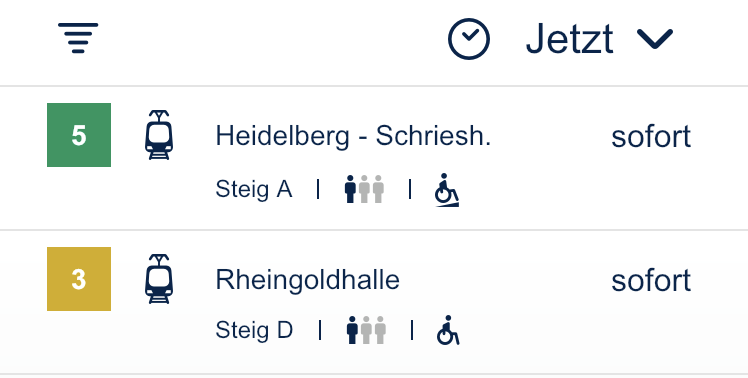
Simply open the Start.info app and select the desired stop. In the departure monitor of the selected stop, pictograms are displayed for the individual journeys on our lines, providing information on how high or low the capacity utilisation is likely to be. There are three different levels: low capacity utilisation, medium capacity utilisation or high capacity utilisation.